Live scoring workspace
A clear picture of every shot.
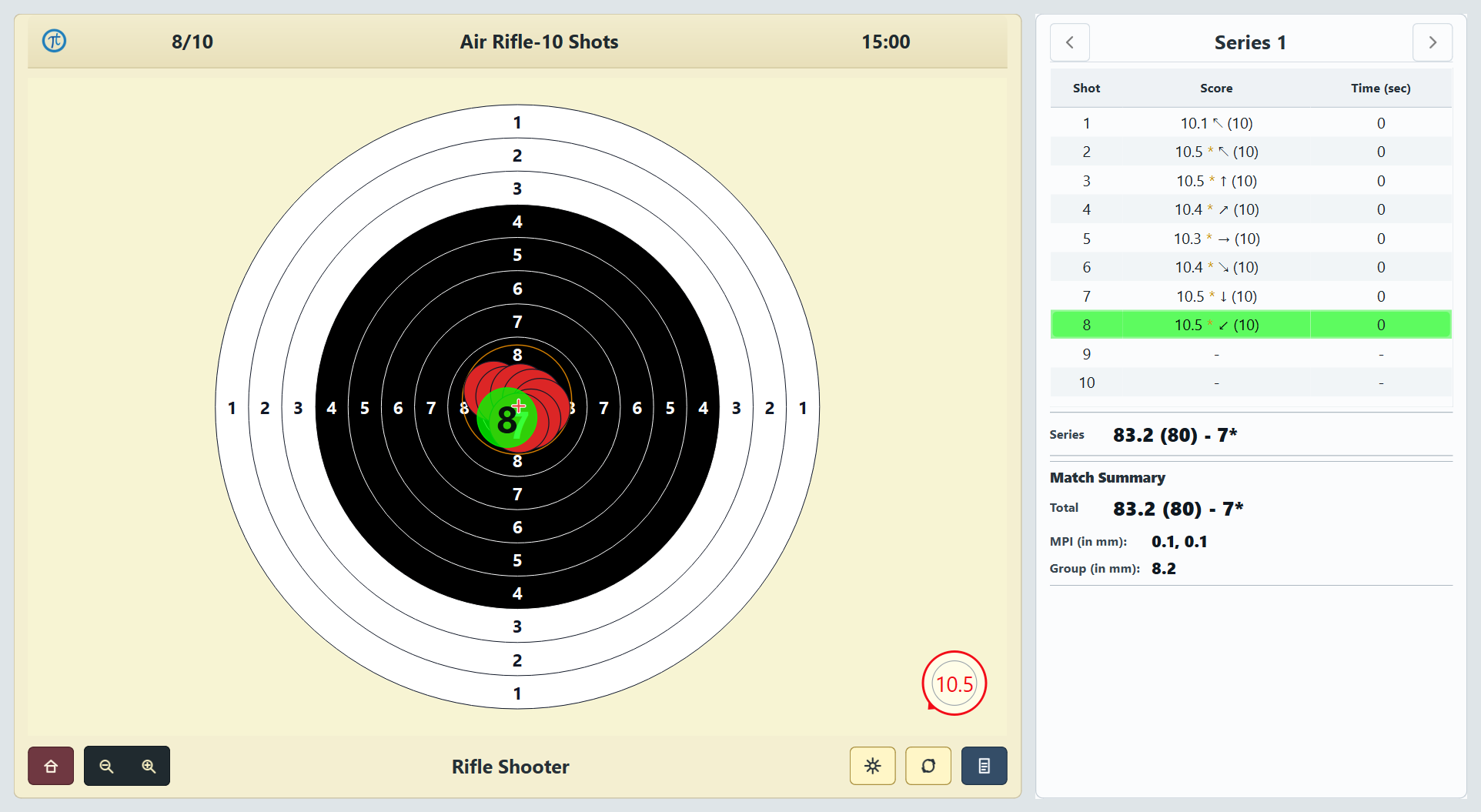
Keep the target, score table, shot timing, series totals, MPI and group size together in one calm shooting view.
Live viewShot · score · time
Session insightSeries · MPI · group size
Official software download
Register your details once to access all four available Tachus Scoring Software downloads.
Name, location and phone number are required.
Your details and basic security information (IP address, country, browser and download activity) are recorded only to manage and protect Tachus Scoring Software downloads.
03 Install
Choose the Tachus Scoring Software version you need.
Extract the complete folder before opening any installer.
Connect it to the laptop, then install the driver included in the folder.
Run the setup and create a Tachus Scoring Software shortcut on the desktop.
User guide included. Each ZIP contains its version-specific PDF guide with detailed installation, connection and operating instructions.
Inside Tachus Scoring Software
Across Air Rifle and Air Pistol, Tachus Scoring Software brings the live target, session controls, training tools and review workflow together. Every view below is from the real software.
Live scoring workspace
Keep the target, score table, shot timing, series totals, MPI and group size together in one calm shooting view.
01 · Control the view
Choose what appears, when it appears and how much information remains visible during the shot process.
Show only the current or selected shot. The full series and group display stay out of view, leaving one clear impact to read.
Wait 0, 2 or 4 seconds before a new pellet becomes visible. Scoring records immediately, helping reinforce follow-through.
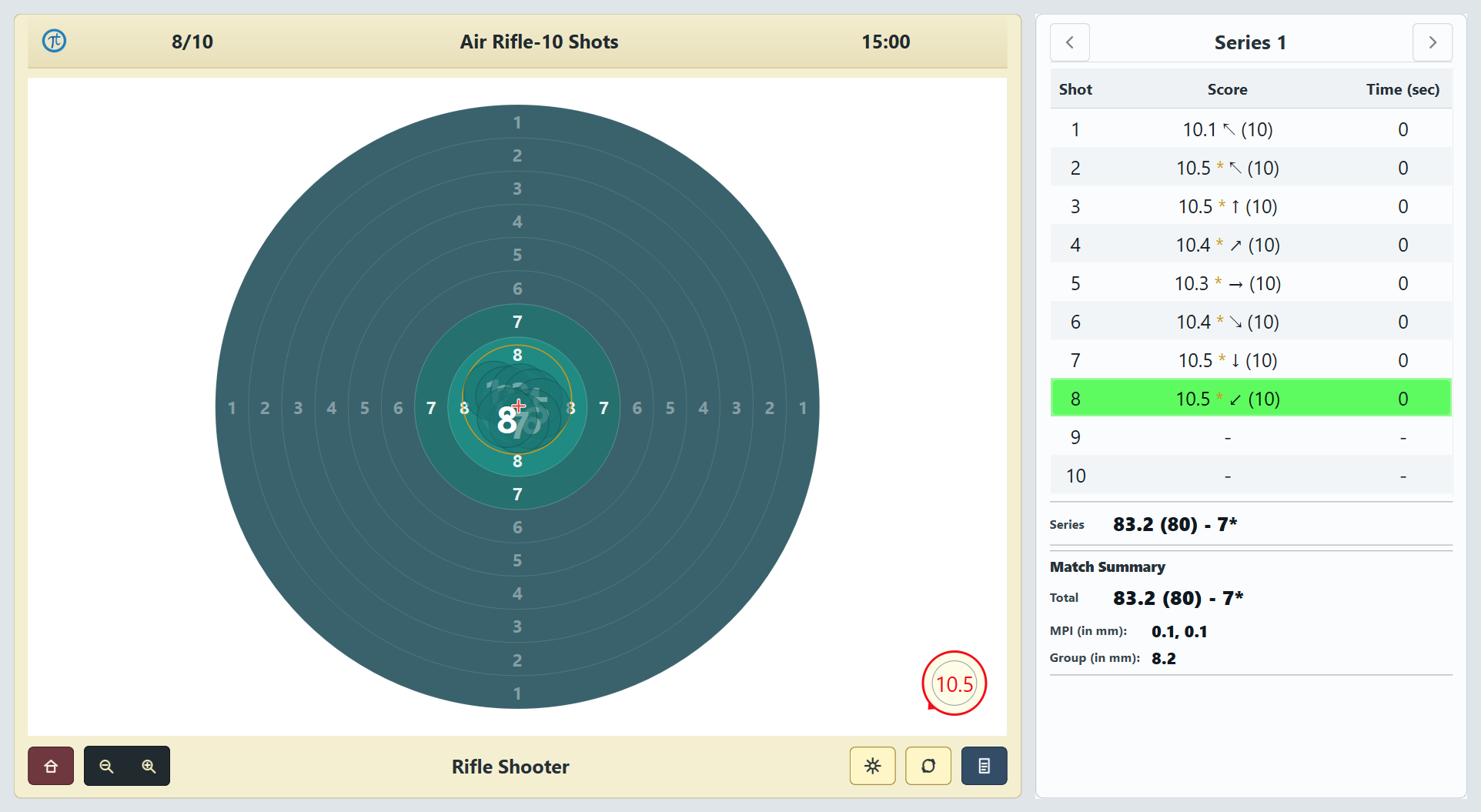
Use a calm teal target and adjust teal pellet visibility for concentration training. Air Pistol keeps its real target; scoring and results remain unchanged.
02 · Shape the session
Timing and presentation controls stay together, with the right options shown for each session.
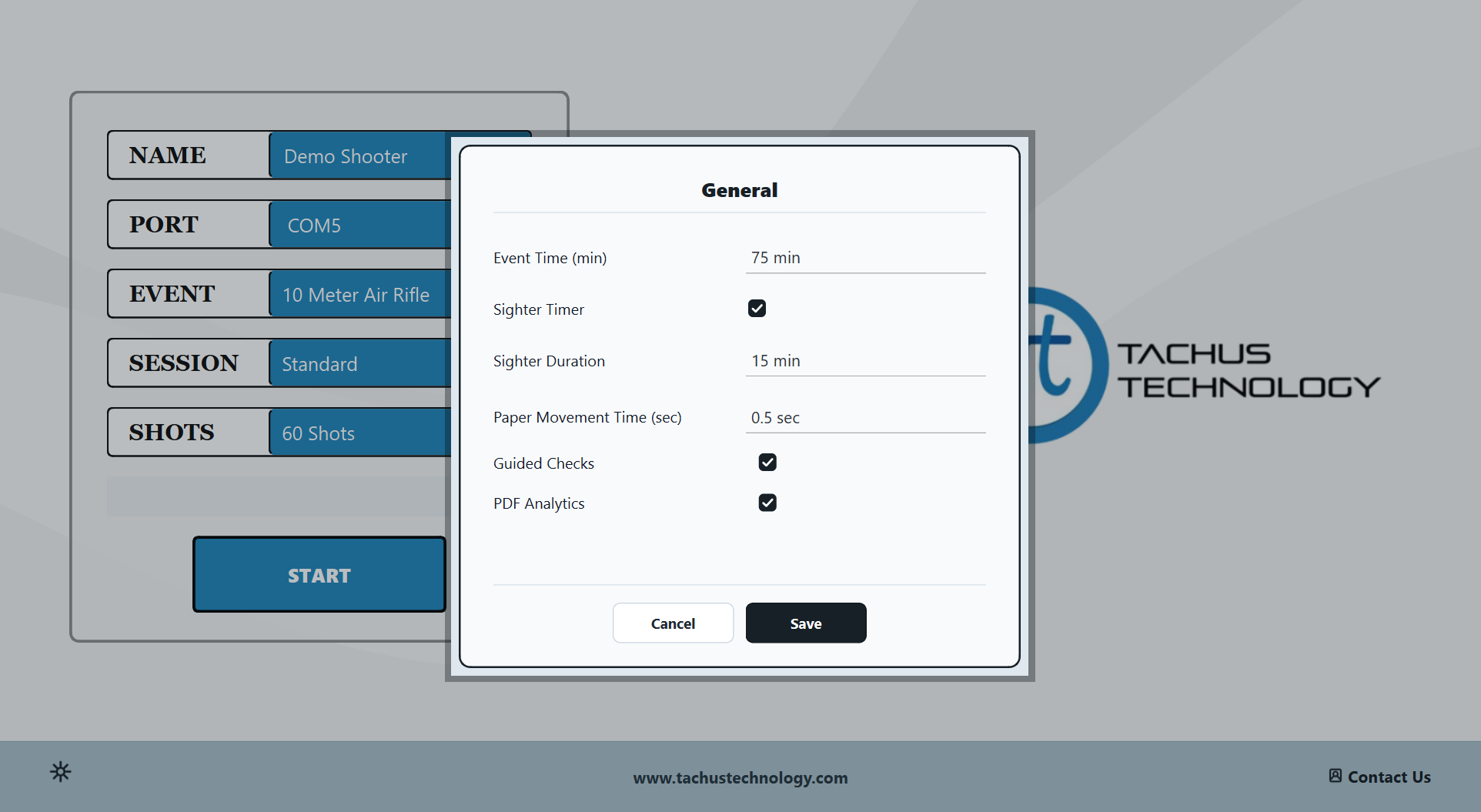
Set the countdown for Standard sessions; Finals and Performance Drills retain their own timing.
Turn the timer on or off and set its duration for Standard, Free Practice and Performance Drill sessions.
Adjust paper advance after each shot: 0.5 seconds by default for Air Rifle and 1.0 second for Air Pistol.
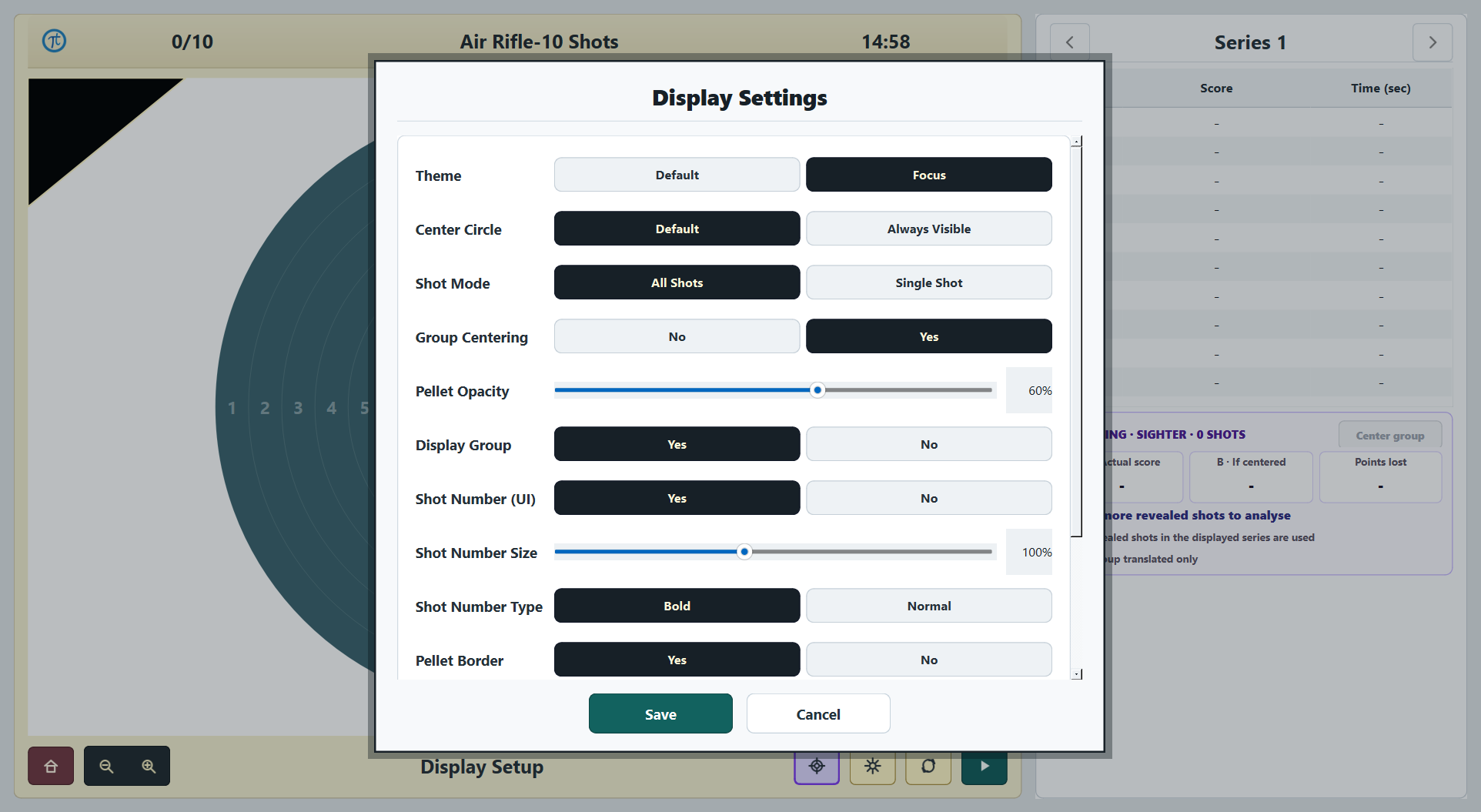
Choose target colour, shot numbers, pellet appearance, group visibility, scoring table and stats layout.
New in V3.5.4 and V3.6.4
Both new packages add Companion Mode and target-only Full Screen while keeping recorded shots, scores and reports intact.
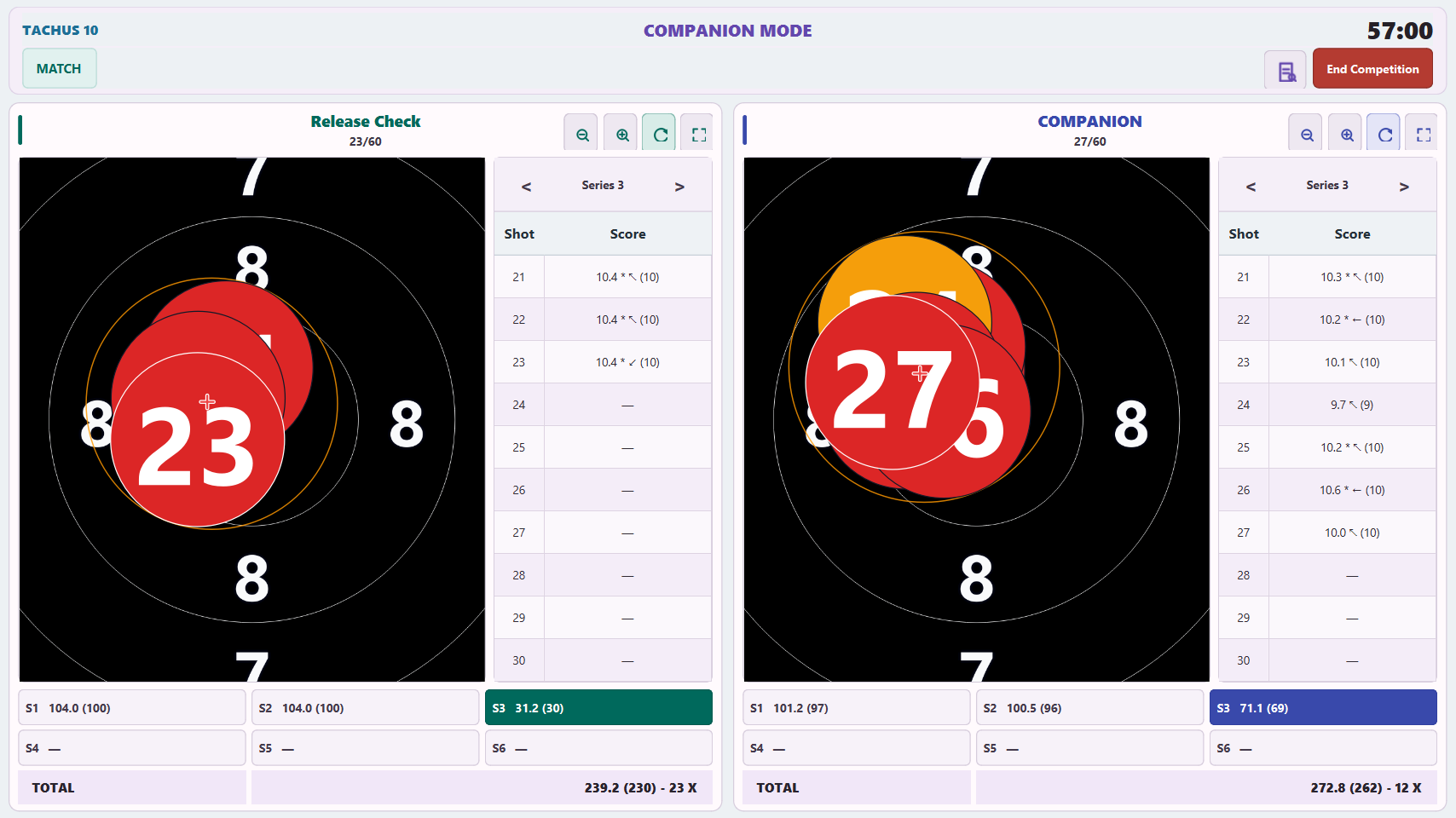
Companion Mode
Keep the physical shooter on the left and a generated opponent on the right, with independent series review, zoom and target-only full screen for each lane.
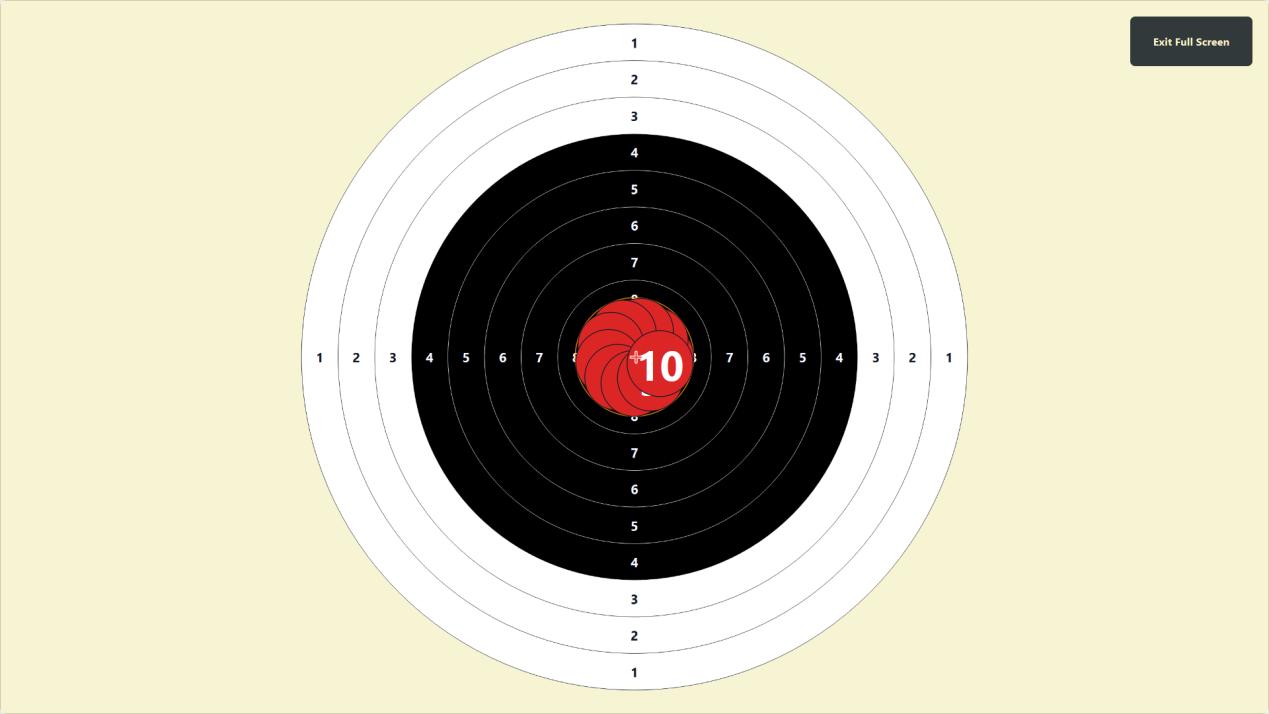
Target-only Full Screen
Open a target-only view from the shooting toolbar for the normal target or either Companion lane, then exit to restore the prior window and layout.
03 · Training intelligence
Train with a clear objective, understand what the group is doing and carry every session into a focused review.
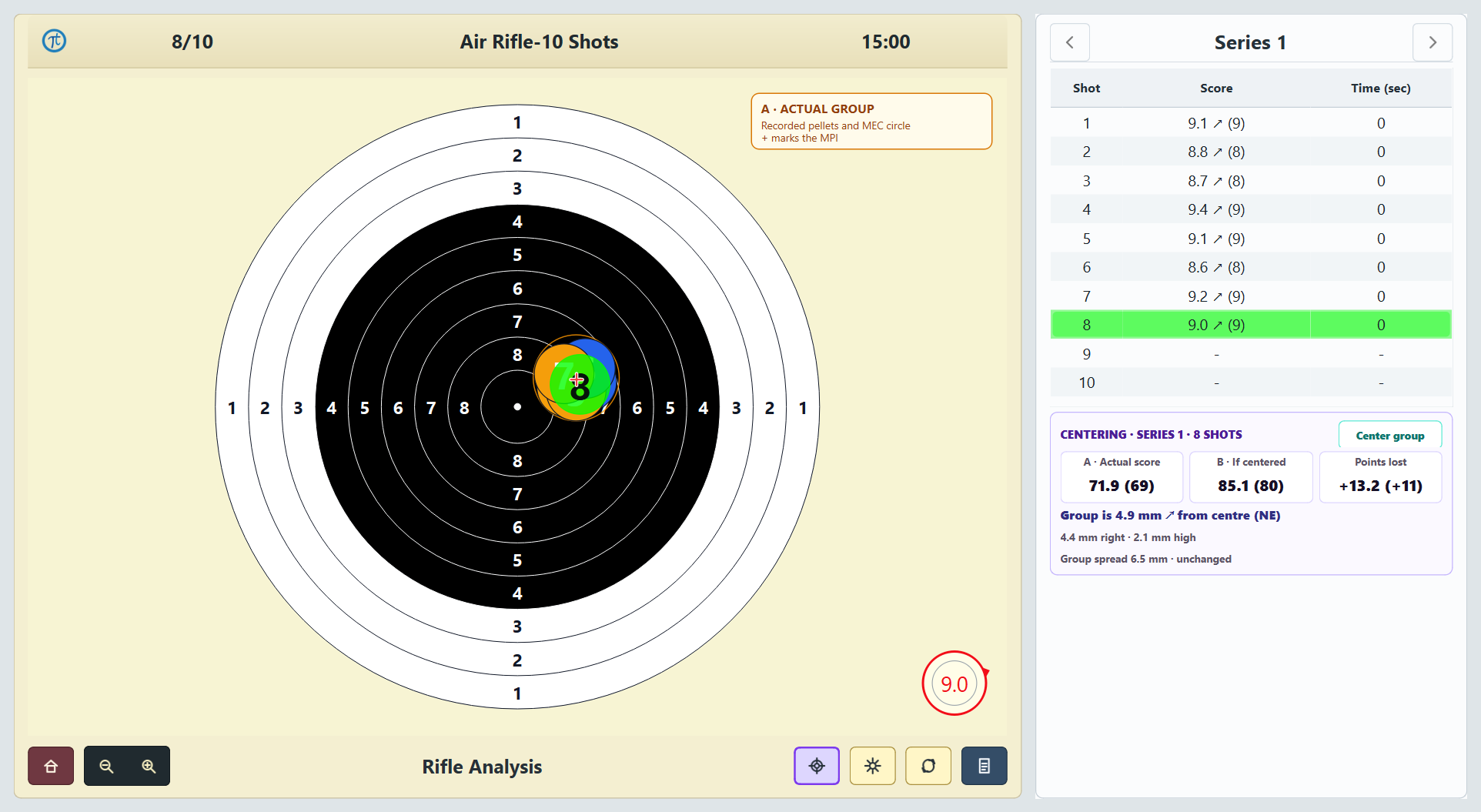
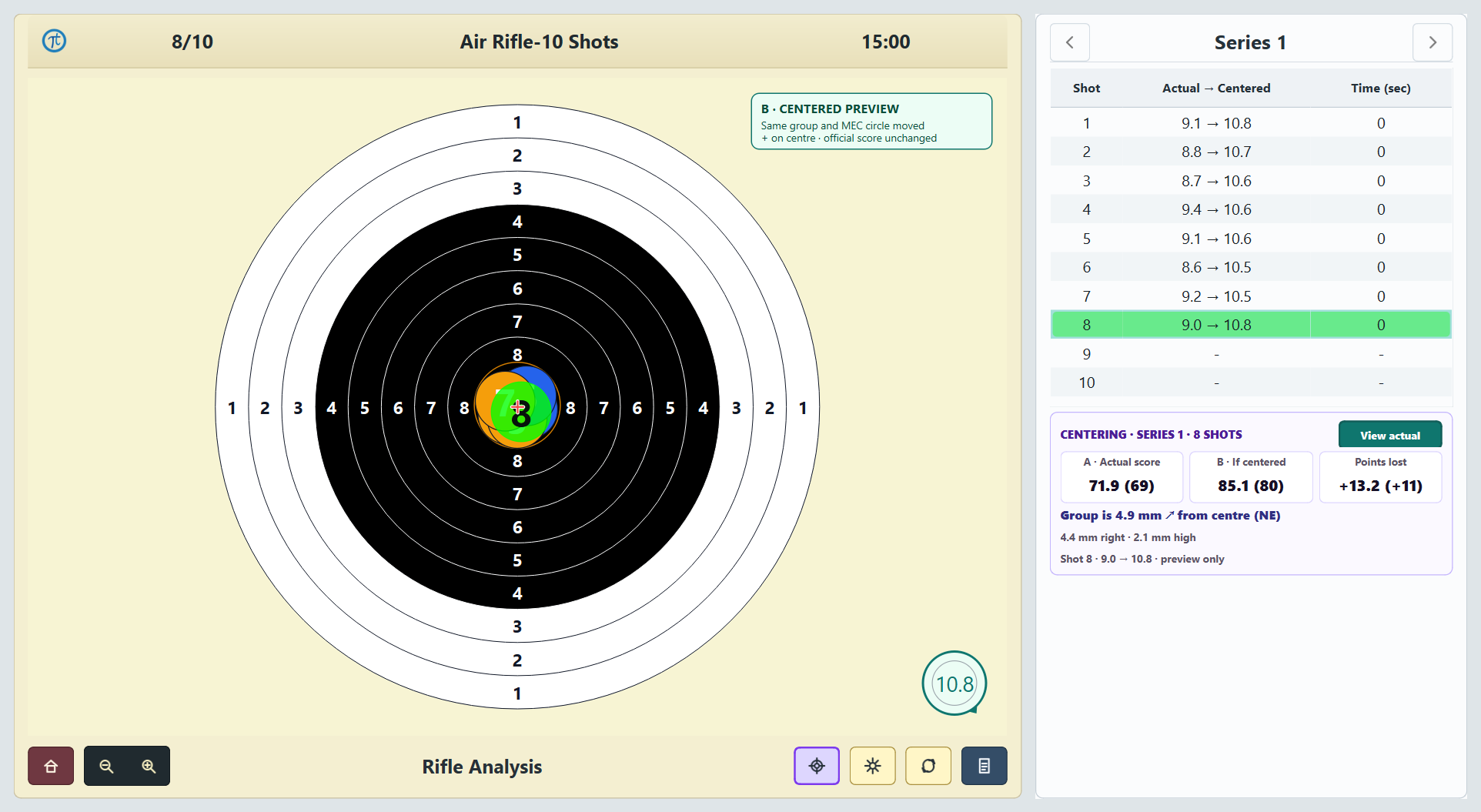
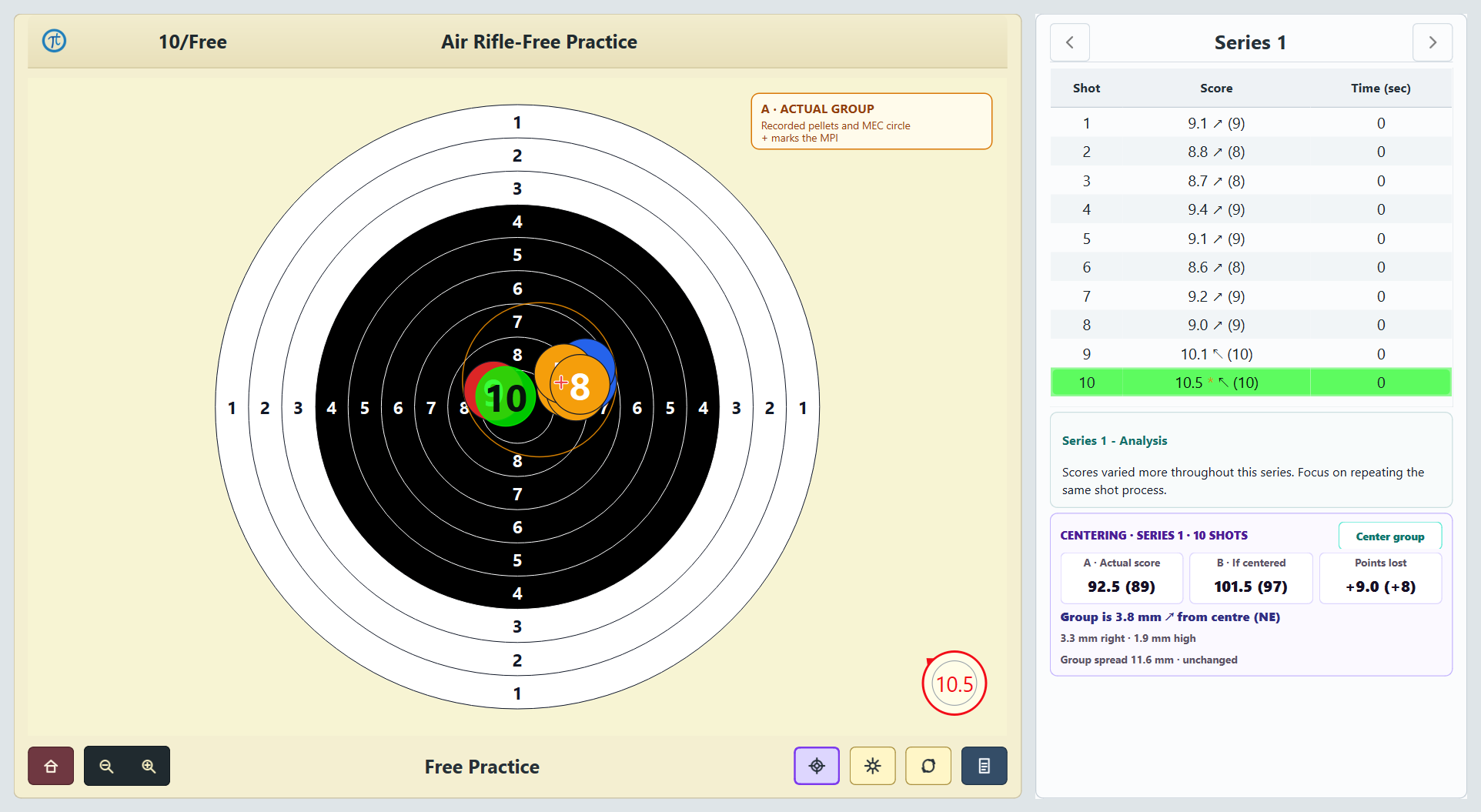
Group Centering
Compare the recorded group with the exact same group moved onto the target centre. See actual score, centered score, MPI displacement and points lost without changing the group itself.
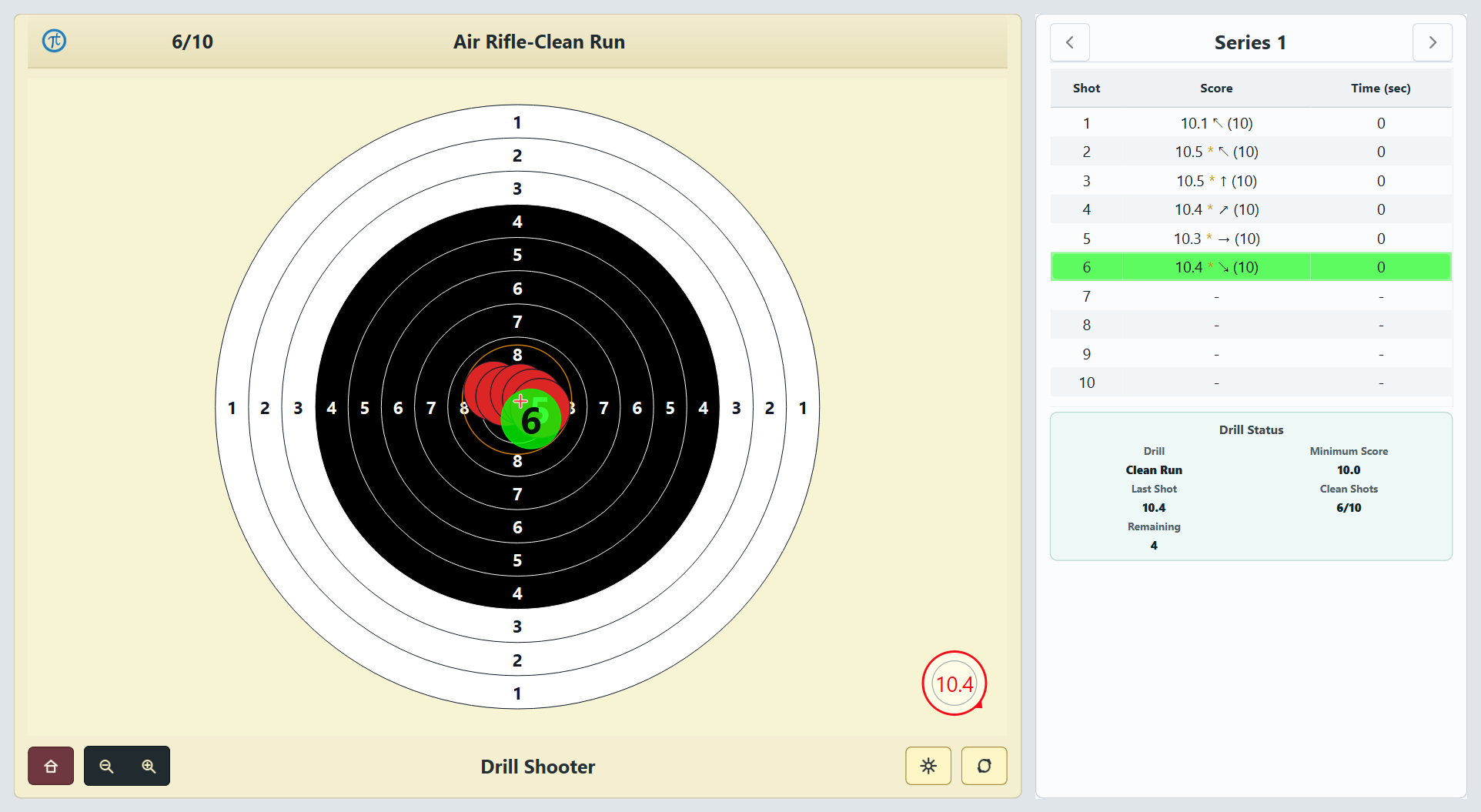
Performance Drills
Clean Run, Group Guard, Chase and Shot Calling provide live progress and drill-specific review.
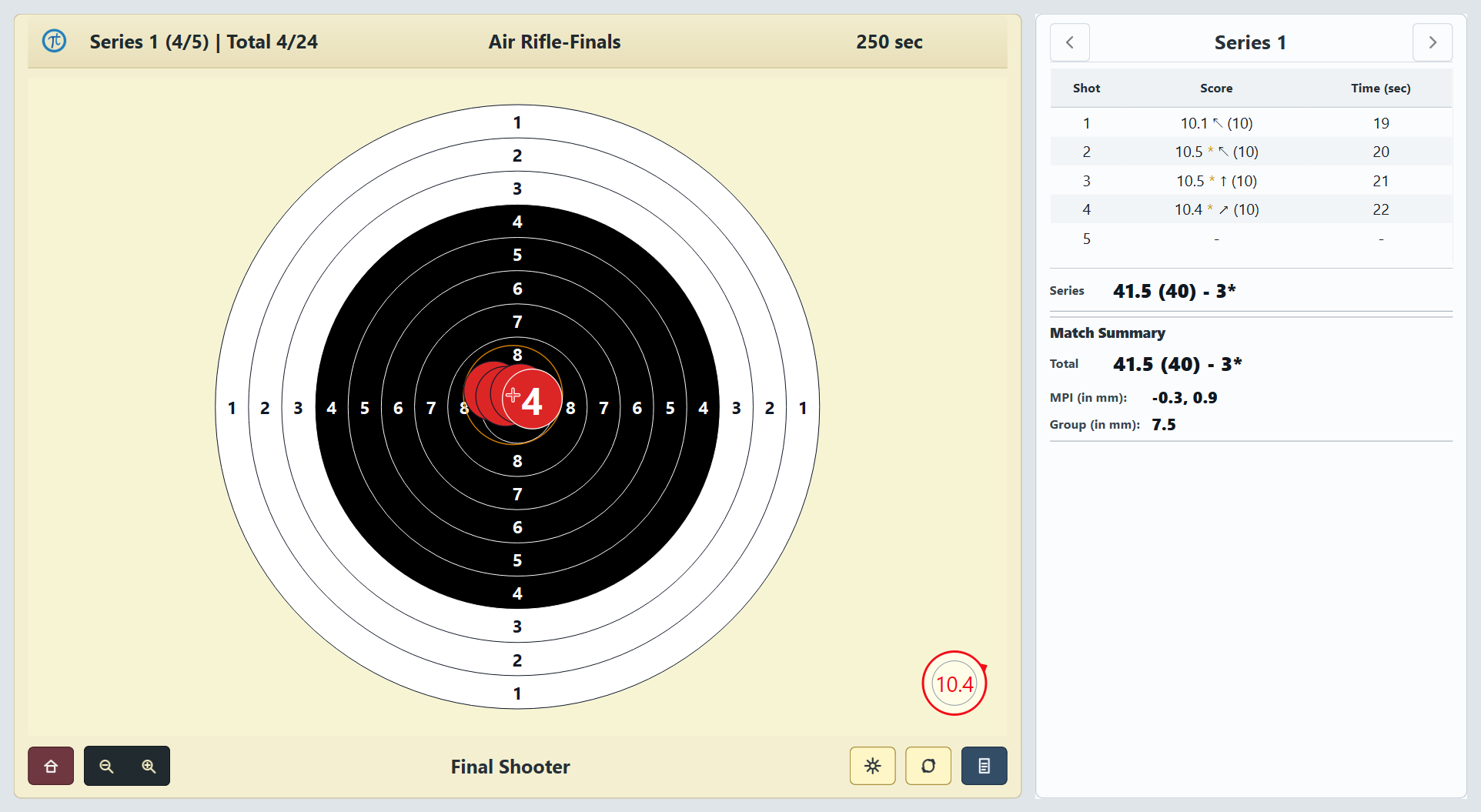
Finals training
Use event timing, 24 scored shots and optional spoken range commands in a focused one-shooter simulation.
Guided Checks
After each completed 10-shot match block, receive one focused cue based on score, timing and pellet location.
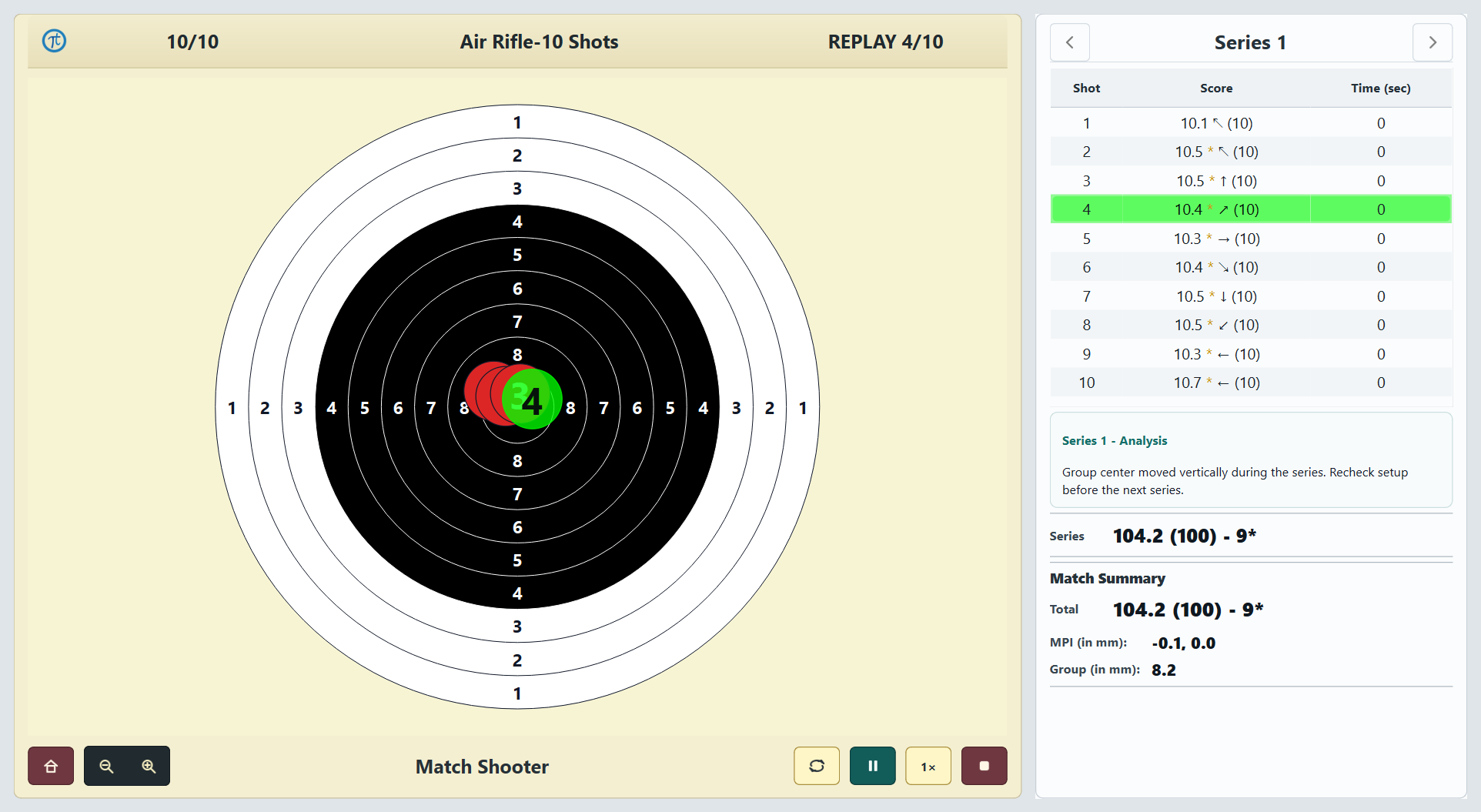
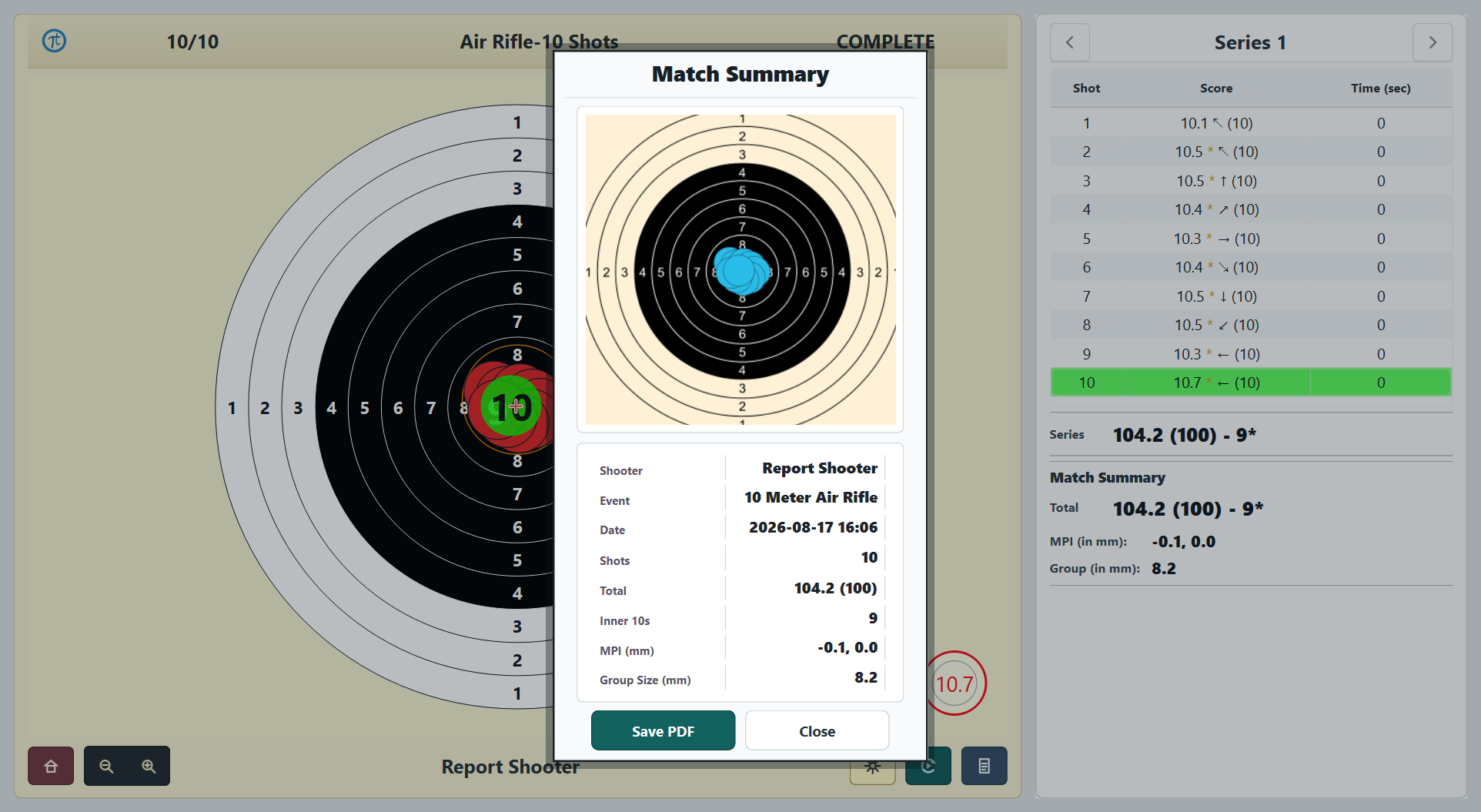
Replay, reports and Advanced Analytics
Replay completed Standard matches at 1×, 2× or 4×. Save PDFs for Standard, Free Practice and Final Simulation sessions, with analytics pages for eligible Standard and Free Practice reports.
Software support
Contact our software support team by email, WhatsApp or phone.